RemoteClaw Guide – Connect ChatApp Integration
Follow simple steps to integrate your bot with RemoteClaw. Create a Telegram bot via BotFather, get your API token.
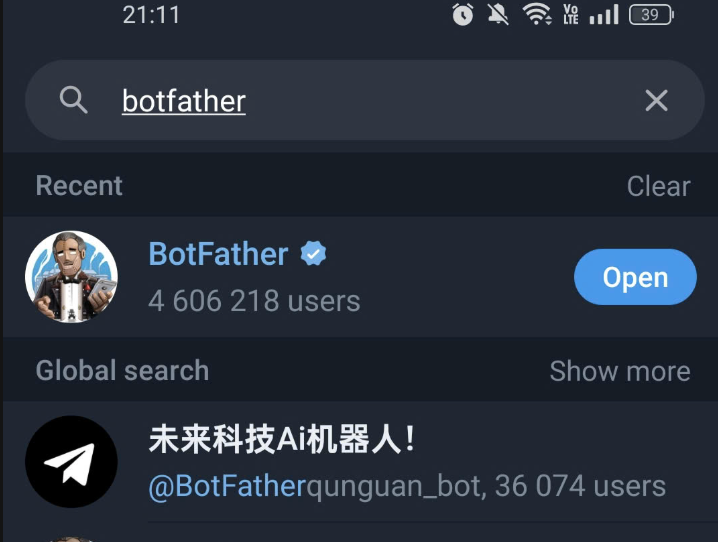
Step 1: Open Bot Management
Search for @BotFather on Telegram and start the chat to initiate the bot creation process.
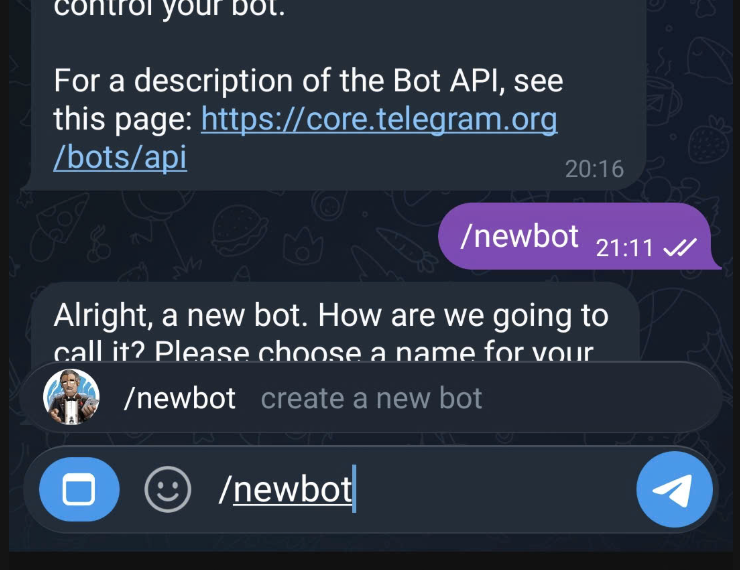
Step 2: Create New Bot
Send /newbot command and follow the naming instructions provided by BotFather.
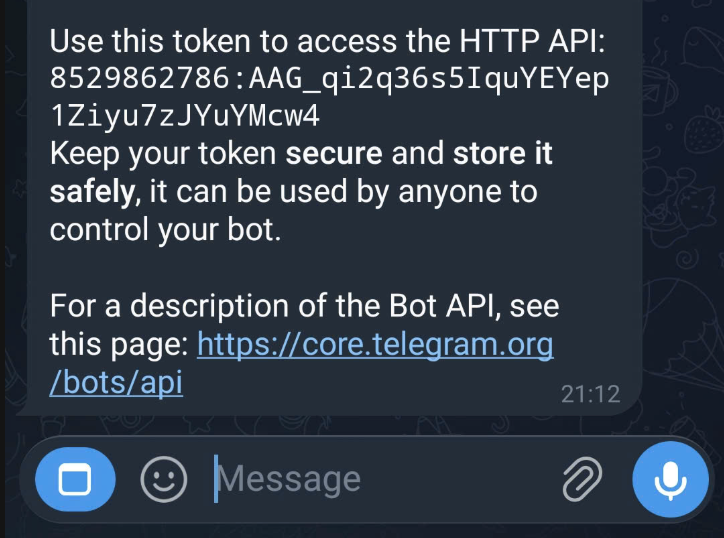
Step 3: Copy API Token
Securely copy the HTTP API token provided. You will need this to authenticate with the RemoteClaw platform.
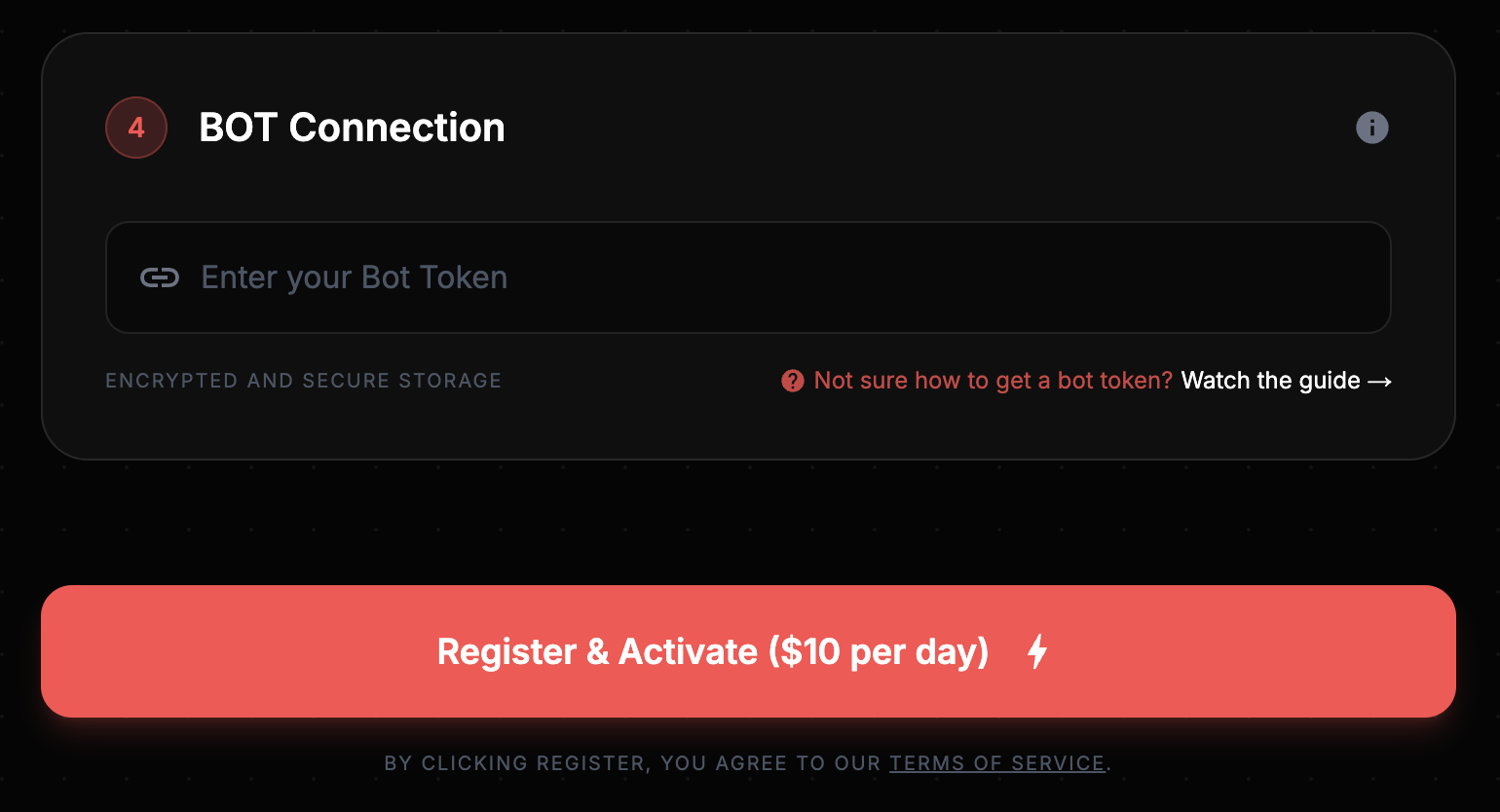
Step 4: Paste the token
Paste the token into the Connection field on registration page
Step 5: Approve the bot creation
View video How to approve the bot creation
Video Tutorial
Duration: 17s • Quality: 1080p
Security Warning
Never share your API token with anyone. RemoteClaw staff will never ask for your token via chat or email.
Need Assistance?
Our community is available 24/7. Reach out in the Discord server if you hit any roadblocks.